
McDowell County Court Records After Arrest
A McDowell County arrest usually starts with law enforcement and jail intake, but the formal charge record belongs to the North Carolina Judicial Branch. The county is in Prosecutorial District 41, Superior Court District 41, and District Court District 41. The District Attorney decides how to proceed with criminal charges, and the Clerk of Court maintains case files, dockets, and public terminals. That is why court records after a jail arrest should be checked through court channels, not only through the sheriff app.
Booking information may be useful at the start. It can help confirm that a person was held at the McDowell County Detention Center, whether a bond or hold exists, and which agency made the arrest. For custody details, use McDowell County jail inmate records. For booking photos, use the McDowell County jail mugshots page. For filed charges and case status, use eCourts, the clerk, or the courthouse public terminal.
The McDowell County Courthouse is a separate destination from the jail. The jail and sheriff are on Spaulding Road. The courthouse is at 21 S Main St in Marion, with regular weekday hours listed by the Judicial Branch. Going to the wrong building can slow a records search because jail staff do not maintain the full court file.
Find McDowell County Court Records After Arrest
The main online channel is the North Carolina eCourts Portal. The landing page includes Smart Search for court records and case information, Search Hearings for court dates and hearings, Make Payments, and NC Judgment Search. The portal uses JavaScript and cookies, and the research notes a CAPTCHA challenge every ten minutes for anonymous, registered, and elevated users.
The McDowell County Judicial Branch page also links court-date tools and county court information. For in-person records, the Judicial Branch says criminal case information can be accessed at public self-service terminals in clerk offices. Searches may be by defendant name, case number, or victim/witness name. Paper files may be viewed at the clerk's office in the county where the case is located, and copies may involve a fee.
- Search the eCourts Portal by defendant name or case number.
- Use Search Hearings if the main need is a date, courtroom, or scheduled event.
- Compare the charge list with the jail booking information, if available.
- Contact the Clerk of Court if the case cannot be found online or if a paper file is needed.
- Use the courthouse public terminal for public criminal case information not clear in Portal.
For background-check purposes, the Judicial Branch cautions that people should use the county clerk's office rather than relying only on Portal.
McDowell Court Portal Search Fields
The eCourts Portal landing page is broad, so the key fields are functions rather than a simple jail-roster form. CourtDelta is a separate court-date tool linked from the courthouse page and asks for more direct contact and case information. These fields are useful when trying to connect a recent McDowell County arrest to the next hearing.
| Field or Function | Type | Required | Notes |
|---|---|---|---|
| Smart Search | Search function | Optional | Search court records and case information. |
| Search Hearings | Search function | Optional | Search hearings by name, county, date range, and more. |
| Register / Sign In | Account links | Optional | Registered or elevated access may change available records. |
| Make Payments | Payment function | As needed | Portal notes accepted cards and limits on some payment apps. |
| CAPTCHA | Security control | Periodic | Appears every ten minutes according to portal notice. |
| CourtDelta Field | Type | Required | Notes |
|---|---|---|---|
| Full Name | Text | Unspecified | Used for court-date lookup or notification. |
| Email Address | Unspecified | Required-looking field in the research capture. | |
| Phone Number | Text | Optional | May help with notices. |
| Case or Citation Number | Text | Unspecified | Main lookup identifier when known. |
| Terms checkbox | Checkbox | Required | User agrees before checking the court date. |
McDowell County Court Search Image
The North Carolina eCourts Portal screenshot shows the statewide functions used to move from a McDowell County arrest to a court case lookup.
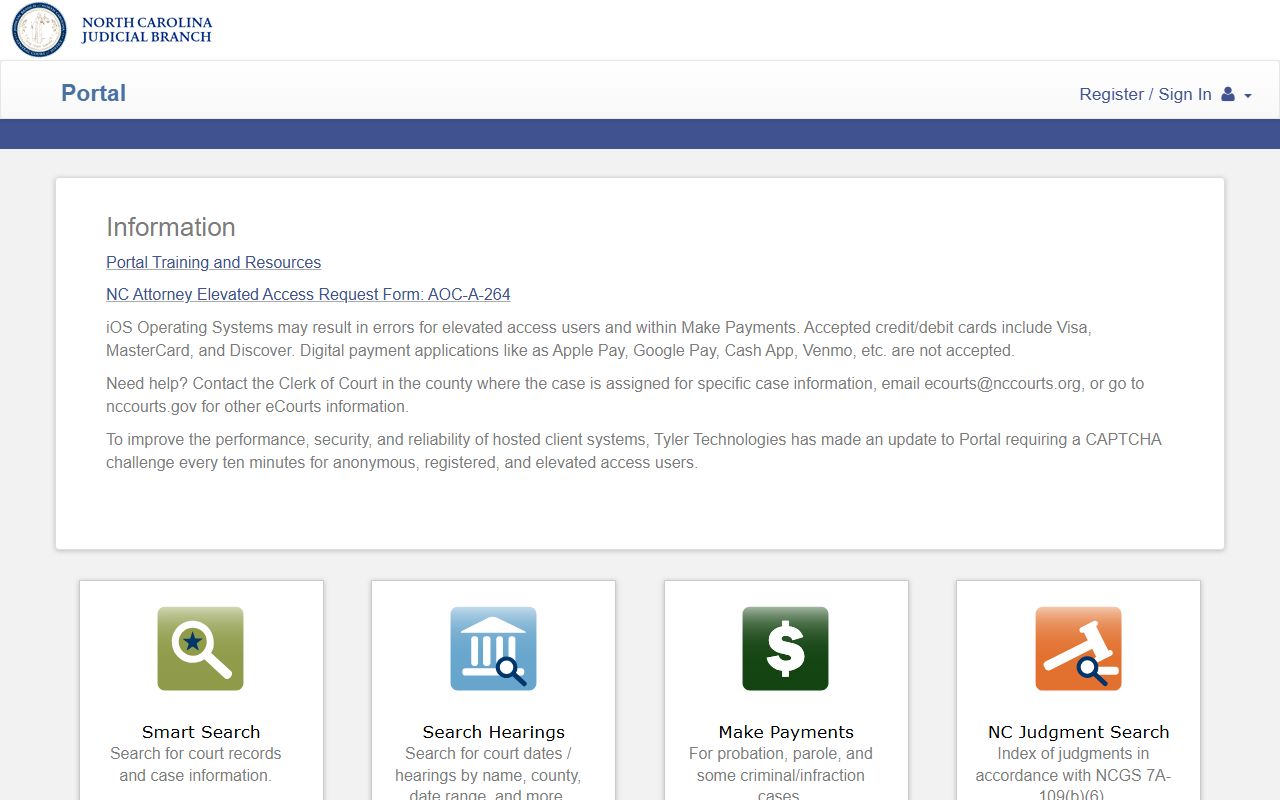
The same portal serves all North Carolina counties, so McDowell users still need to choose the right county or case details when searching.
Charges Filed After McDowell Arrest
An arrest charge is not always the final court charge. The jail or app may reflect the arresting officer's initial information. The prosecutor may proceed on different charges, amend charges, reduce a charge, dismiss one count, or seek an indictment. That is why court records after arrest should be checked after the case opens, not only on the day of booking.
| Document | Who Uses It | What It Does |
|---|---|---|
| Complaint | Law enforcement or prosecutor | States the accusation that begins or supports a criminal case. |
| Information | Prosecutor | Formal charging document used in appropriate cases. |
| Indictment | Grand jury process | Formal felony charging document after grand-jury action. |
North Carolina procedure can vary by charge level and case path. Treat the filed court record as the better source for current charge status.
McDowell Charge Status Records
Charge status changes as a case moves through district or superior court. A pending charge can be amended, reduced, dismissed, resolved by plea, or tried. A jail booking does not decide guilt. It records custody after arrest. The court file shows what was filed and what later happened.
| Status | Meaning for a Court Record |
|---|---|
| Pending | The charge remains active and has not reached final disposition. |
| Amended | The filed charge or details changed after review or court action. |
| Reduced | The charge moved to a lower offense or lesser count. |
| Dismissed | The prosecution did not continue that charge to conviction. |
| Convicted | The case ended in a guilty plea, verdict, or other conviction entry. |
Bond Records After McDowell Arrest
North Carolina pretrial release is governed by G.S. 15A-534. For a McDowell County arrest, a judicial official sets release conditions. Those conditions can include a written promise, unsecured bond, secured bond, custody release, or other restrictions. A secured bond may require money, property, or a surety before release.
The research did not locate an official McDowell online bond-payment page, accepted-payment list, or public bond-window schedule. To verify a bond, call the detention facility at (828) 652-2236 or the Magistrate's Office at (828) 655-4166. The Clerk of Court at (828) 655-4100 is the better contact for case-file entries and hearing information.
| Release Type | Plain Meaning |
|---|---|
| Written promise | The person signs a promise to return to court. |
| Unsecured bond | Money is owed only if release terms are violated. |
| Secured bond | Money, property, or surety must secure release. |
| Custody release | The person is released to a designated custodian. |
| No release or hold | Another charge, warrant, federal hold, or agency detainer may block release. |
Warrants and McDowell Arrest Records
No official McDowell County active-warrant list was located on the sheriff or county desktop pages. The sheriff app listings mention public-safety tools, tips, sex offenders, crime maps, contacts, and inmate search, but the research did not verify an online warrant search. Do not rely on a private warrant page as a source for custody.
For a warrant that may have led to arrest, call the sheriff's main line at (828) 652-2235 or the jail at (828) 652-2236 if the person may already be detained. The Magistrate's Office, listed at (828) 655-4166, is relevant for initial process and bond questions. Court records may show failure-to-appear entries or other case events tied to a bench order.
Charges, Convictions, Sealed Records
McDowell County court records after a jail arrest can include accusations that never become convictions. A charge is an allegation. A conviction is a final finding or plea. Records can also be sealed or expunged when the law allows. These terms should not be mixed together.
| Charge | Conviction | |
|---|---|---|
| Meaning | An accusation filed in court. | A final guilty finding, plea, or judgment. |
| Timing | Appears before final case outcome. | Appears after disposition. |
| Use | Shows what the state alleges. | Shows the legal result of the case. |
| Sealed | Expunged | |
|---|---|---|
| Public access | Hidden from ordinary public view. | Removed from public access under the order. |
| Legal basis | Depends on the record type and order. | Depends on eligibility and a court process. |
| McDowell route | Ask the clerk about the case file. | Use NC Judicial Branch expunction guidance. |
Expunction After McDowell Arrest
The North Carolina Judicial Branch expunction page explains that an expunction can remove eligible records from public access. The general filing fee is listed as $175, with no fee for some dismissed or not-guilty charge expunctions unless dismissal was based on diversion or deferred prosecution. G.S. 15A-146 covers expunction after dismissal or a finding of not guilty.
Expunction is not the same as release from jail. It happens through the court, often after the case outcome, and should be discussed with a lawyer or the clerk's office if forms or eligibility are unclear. A jail roster entry, court charge, and private copy of a booking photo may each follow a different removal path.
Public Access to McDowell Court Records
G.S. 7A-109 requires clerks to keep records, files, dockets, and indexes, and it makes them open to public inspection unless the law says otherwise. North Carolina public-records law, including G.S. 132-1 and G.S. 132-1.4, also matters when law-enforcement records or investigative material are requested.
Important: Court and custody information changes quickly. Do not use casual lookup results for employment, housing, credit, insurance, or other FCRA-covered decisions.